💻 2.1 What is a Computer?
Features of a Computer
⚡ Speed
Takes only a few seconds to perform calculations. Executes more than one million instructions per second.
✓ Accuracy
Provides correct output when correct instructions and data are given.
🔄 Efficiency
Never gets tired. Can work round the clock with the same level of accuracy.
🎯 Versatility
Can be used to perform many tasks simultaneously.
💾 Storing & Retrieving
Used to store large amounts of data in a relatively small unit and retrieve them easily and quickly.
📊 2.2 Classification of Computers
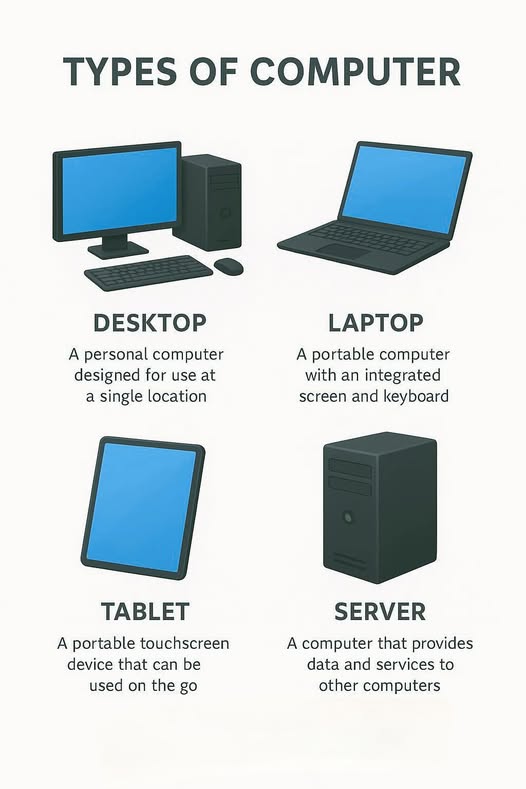
A. According to Physical Size
1. Super Computers
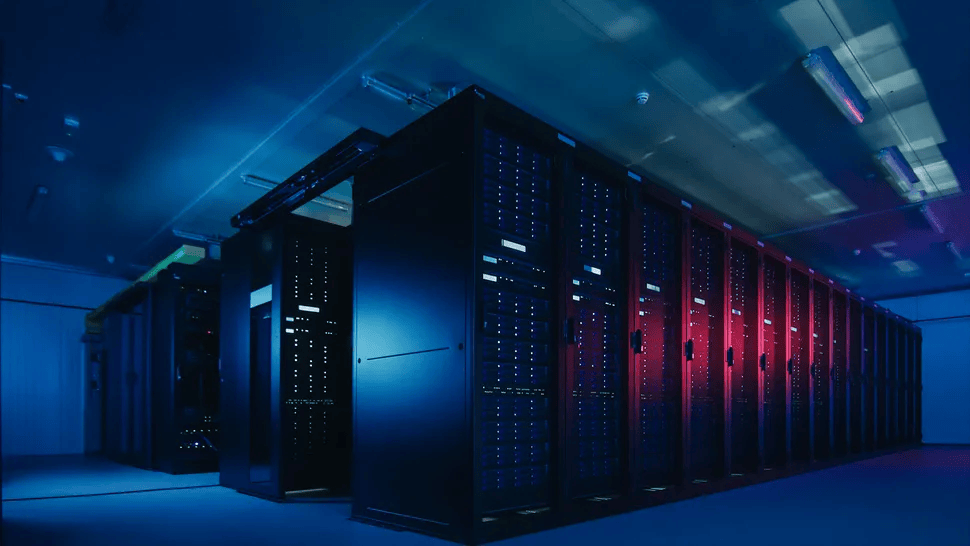
- Highest computing power
- Large in size, expensive and rare
- Used for scientific and engineering functions
- Examples: NASA, military purposes, large-scale businesses
2. Mainframe Computers
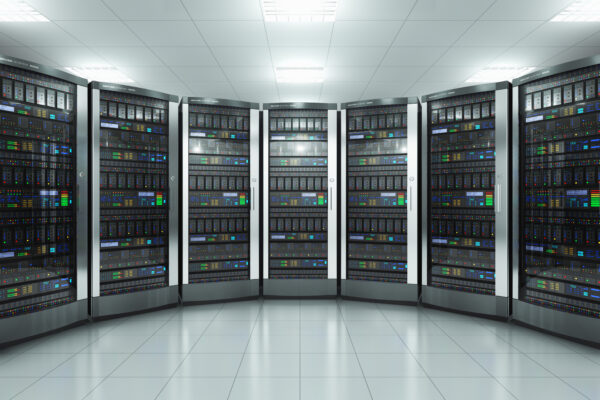
- Less powerful than super computers
- Multiple users connect using terminals
- Used in large-scale businesses and e-business
- Still used in some large commercial institutions
3. Mini Computers
- Lower in size, less powerful than Mainframe
- Also called common purpose computers
- Few users connect through terminals
- Used in medium-scale institutions like banks
4. Micro Computers (Personal Computers)
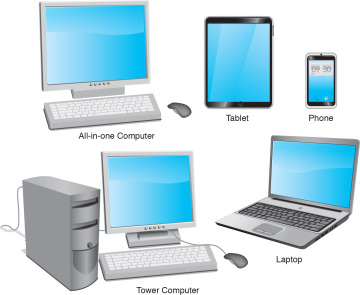
- Small computer meant for personal use
- Small memory capacity, smaller in size
- Less expensive, consumes little electricity
- Examples: Laptops, smartphones, tablets
B. According to Technology
1. Analog Computers
Use analog signals such as environmental parameters (speed, pressure, temperature).
Examples: Speedometers, road lamps with sensors, meteorological machines
2. Digital Computers
Use digital signals. These are the computers we use in day-to-day life.
3. Hybrid Computers
Combination of analog and digital computers.
Example: ECG machine - identifies heart beat (analog), converts to digital signal, and prints
⚙️ 2.3 Function of a Computer System

Main Functions:
- Input data
- Process and store data
- Produce information when needed
Process Flow:
- Data and instructions go from input device to Primary Memory
- Sent to CPU for processing
- Processed data stored in Primary Memory as information
- Information sent to output device
- Data for permanent storage goes to Secondary Storage Device
- Control Unit sends control signals to all devices
⌨️ 2.4 Input Devices
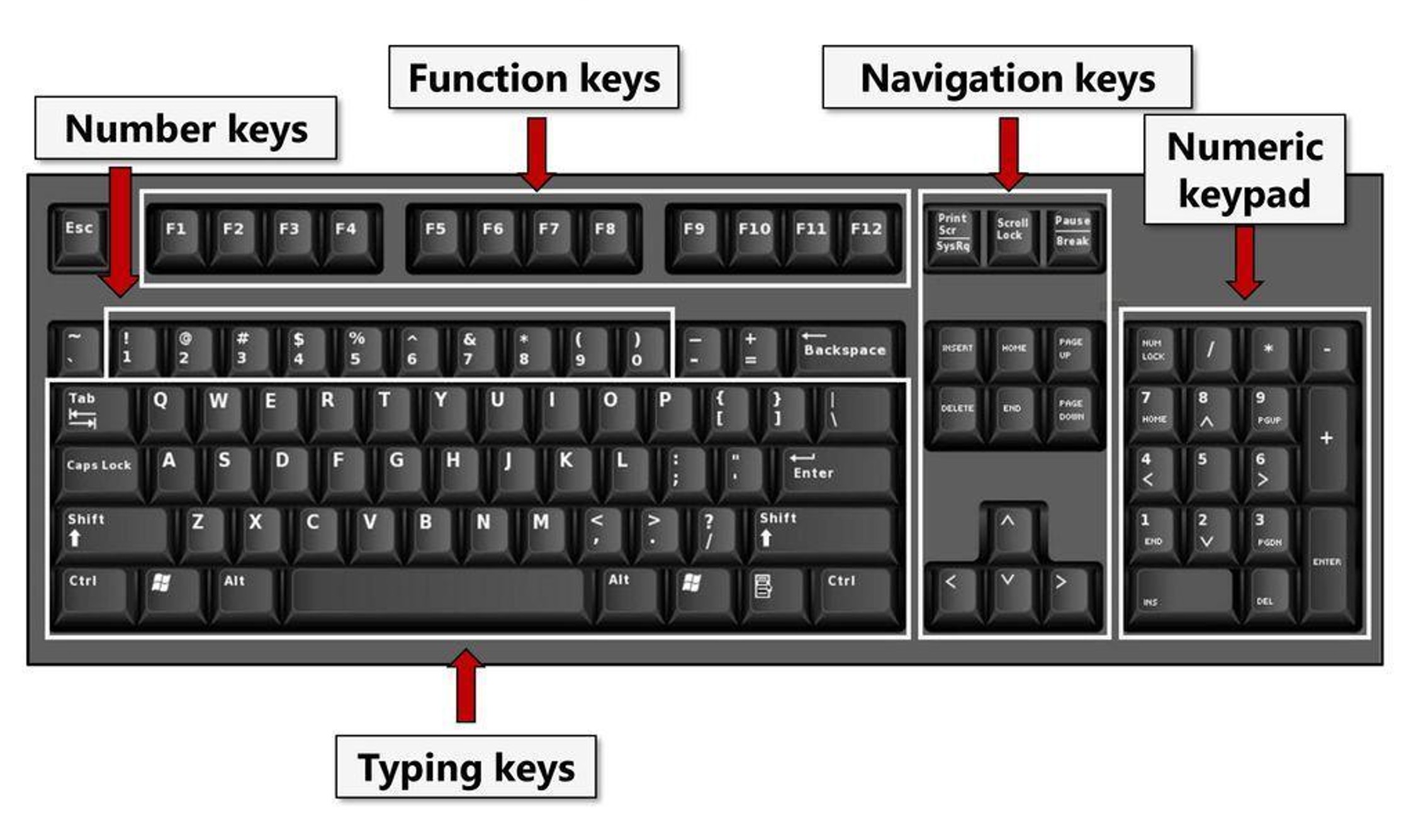
1. Keyboard
Most common input device with 101-108 keys including:
- Typing keys
- Function keys
- Numeric keys
- Control keys
- Special keys
2. Pointing Devices
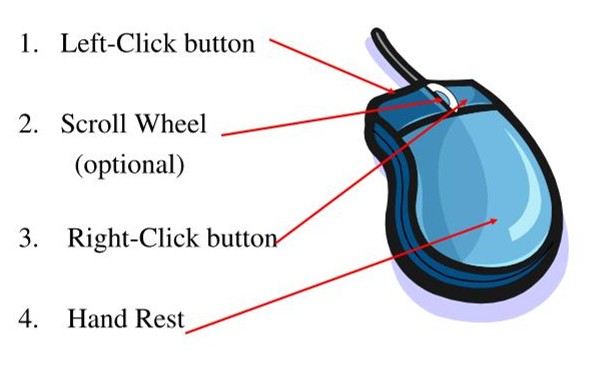
Mouse
Most popular pointing device with left button, right button, and scroll wheel
Touch Screen
Input and output device in modern computers and mobile phones
Joystick
Used in computer games to move cursor
Light Pen
Used to select menu items or draw on screen. Used in CAD
3. Imaging and Video Input Devices
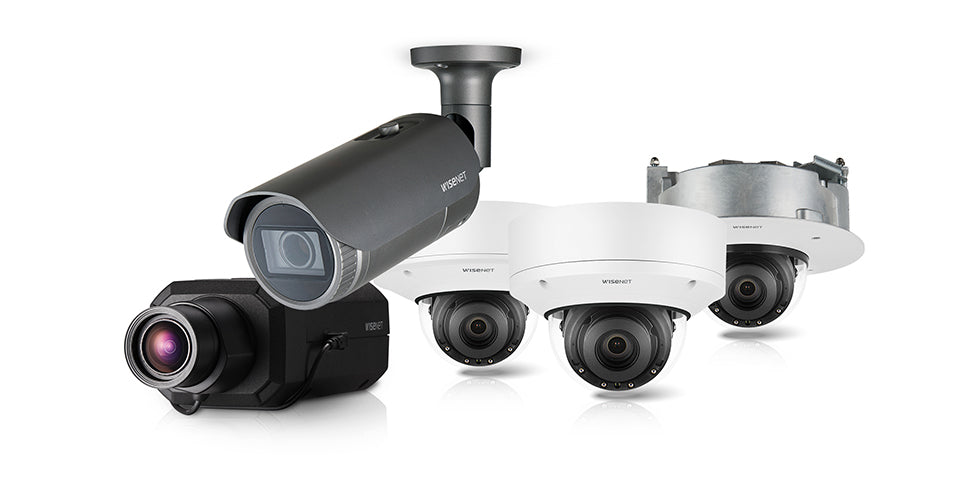
- Digital Camera: Input photographs and videos
- Webcam: View users through internet or capture videos
- CCTV: Capture images/videos for security and road safety
4. Scanners

- Flatbed Scanner: Scans documents like photocopying machine
- Barcode Reader: Reads barcodes and converts to alphanumeric values
- MICR: Used in banks to read cheque information
- OCR: Captures and edits text from documents
- OMR: Recognizes marks made with pencil/pen. Used for MCQ checking
- ATM: Reads card information for bank transactions
5. Microphone
Used to feed sound to a computer
🖥️ 2.4.2 Output Devices
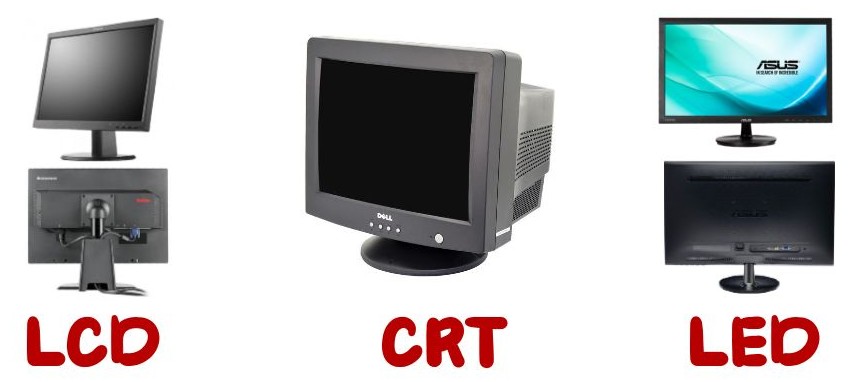
A. Soft Copy Output (Screen Display)
Types of Monitors:
- CRT (Cathode Ray Tube): Large size, consumes more electricity
- LCD (Liquid Crystal Display): Flat screen, uses liquid crystal solution, consumes less electricity
- LED (Light Emitting Diode): Uses LEDs, better brightness, lowest electricity consumption
Multimedia Projector
Displays information on wide screen for multiple viewers. Used for presentations, meetings, entertainment.
B. Hard Copy Output (Printed)
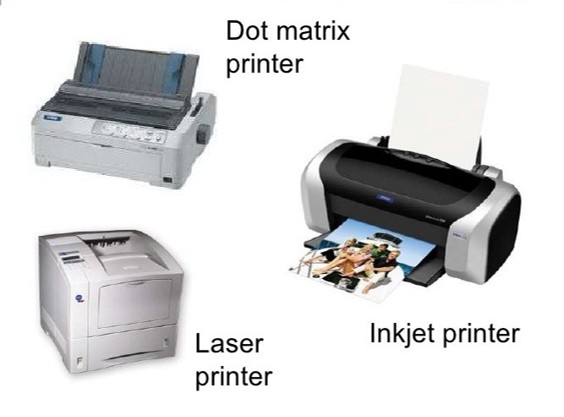
| Printer Type | Characteristics | Examples |
|---|---|---|
| Impact Printers | Head strikes ink ribbon, noisy, low cost | Dot Matrix, Line Printer |
| Non-Impact Printers | No striking, quiet, better quality, expensive | Laser, Inkjet, Thermal |
Specific Printers:
- Dot Matrix: Prints using dots when needle strikes ink ribbon
- Line Printer: Prints one row at a time, 3000 lines/minute
- Laser Printer: Uses toner (dried ink), produces clear quality prints
- Inkjet Printer: Liquid ink deposited through small nozzles
- Thermal Printer: Uses heat, common for receipts and labels
- Plotter: Draws by moving pen on paper, used for architectural designs
C. Sound Output
Speakers: Device that gives sound output (personal and common purpose)
🧠 2.4.3 Central Processing Unit (CPU)
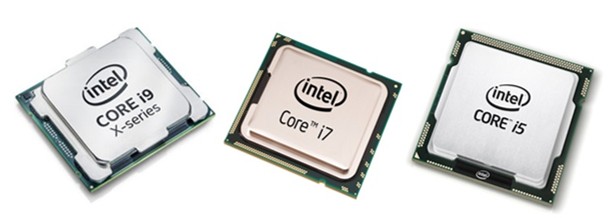
Main Components of CPU:
1. ALU
Arithmetic and Logical Unit
Performs all mathematical and logical functions
2. Control Unit
CU
Controls all devices of a computer system
3. Memory Registers
Temporarily stores data needed for ALU and information produced by ALU
Computer Speed Measurement:
- Unit: Hertz (Hz)
- Common Units: Megahertz (MHz), Gigahertz (GHz)
💾 2.4.4 Computer Memory
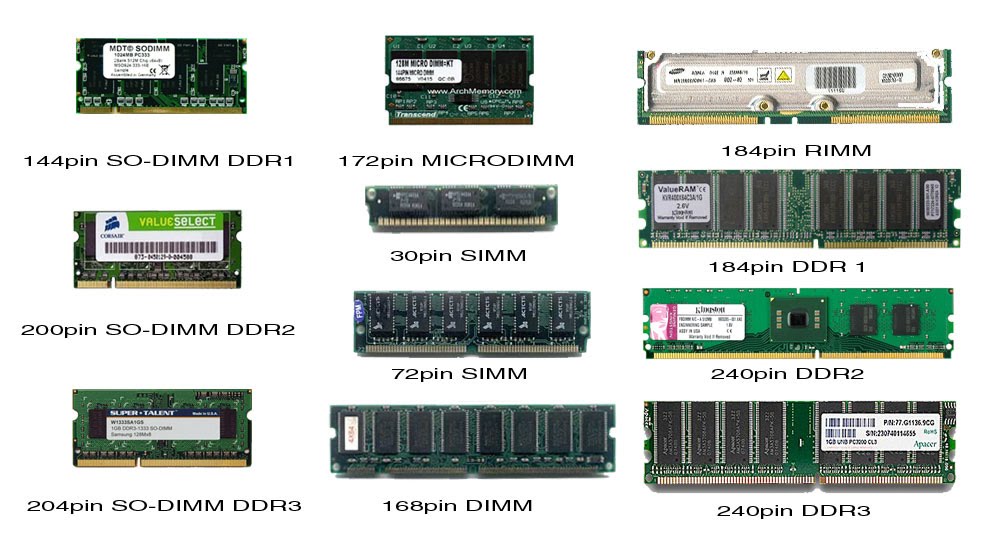
A. Primary Memory (Main Memory)
1. RAM (Random Access Memory)
- Temporarily stores data
- Volatile memory - data deleted when power off
- Has both read-write facility
- Stores data from input devices and data sent to output devices
2. ROM (Read Only Memory)
- Data not erased when power off
- Non-volatile Memory
- Stores BIOS (Basic Input Output System)
- Contains commands required for booting computer
3. Cache Memory
- Smaller capacity but faster than other memory
- Also called CPU Memory
- Mediator between CPU and Primary Memory
- Stores frequently used data
B. Secondary Memory (External Storage)

Stores data and information permanently. Non-volatile memory - doesn't erase without electricity.
1. Magnetic Media Devices
| Device | Description | Capacity |
|---|---|---|
| Hard Disk Drive (HDD) | Most common storage device. Has platters, spindle, head, actuator arm. Read/Write memory | 250 GB - 4 TB |
| Magnetic Tape | Used in server computers for backup. Slow in reading/writing | Large capacity |
2. Optical Media Devices
Data read and written by laser beam
| Device | Type | Capacity |
|---|---|---|
| CD-ROM | Read Only | 650-900 MB |
| CD-R | Write Once | 650-900 MB |
| CD-RW | Rewritable | 650-900 MB |
| DVD-ROM | Read Only | 4.7-9.4 GB |
| DVD-R | Write Once | 4.7-9.4 GB |
| DVD-RW | Rewritable | 4.7-9.4 GB |
| Blu-ray Disc | Recordable/Erasable/3D | 25-128 GB |
3. Solid State Devices
Contain solid parts, no moving parts. Fast read/write speeds.
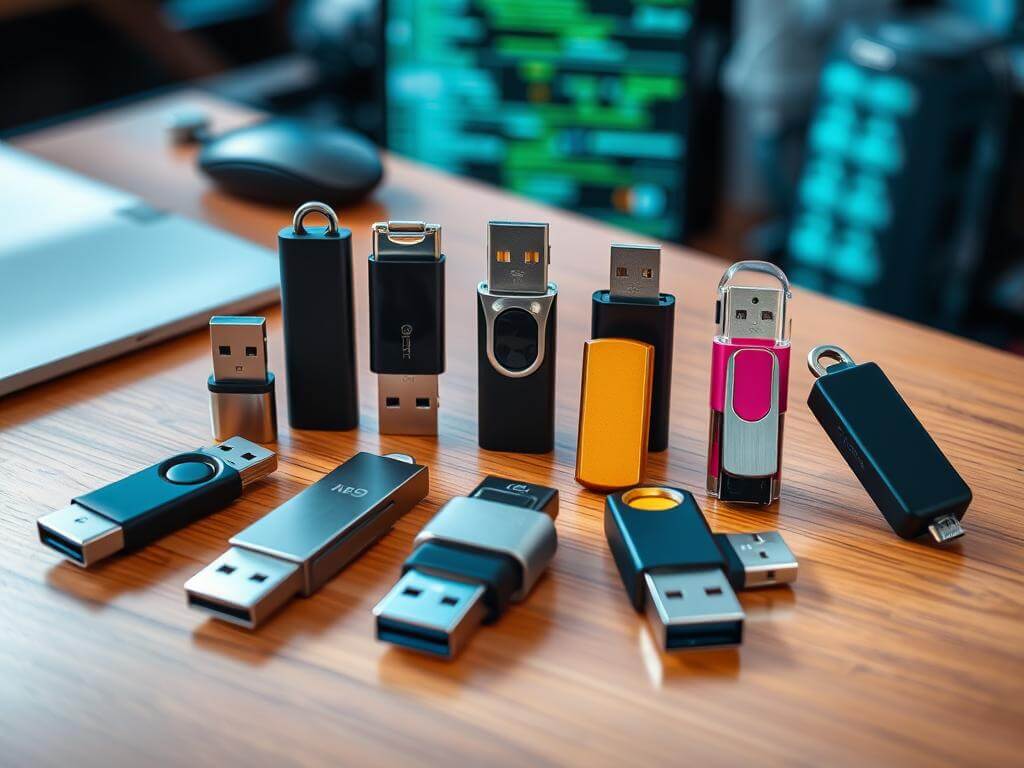
USB Flash Drive
Popular due to easy portability and fast data transfer
Memory Card
Similar to USB but smaller. Used in cameras, phones, gaming devices. Example: SD Card
🔌 2.5 Computer Ports
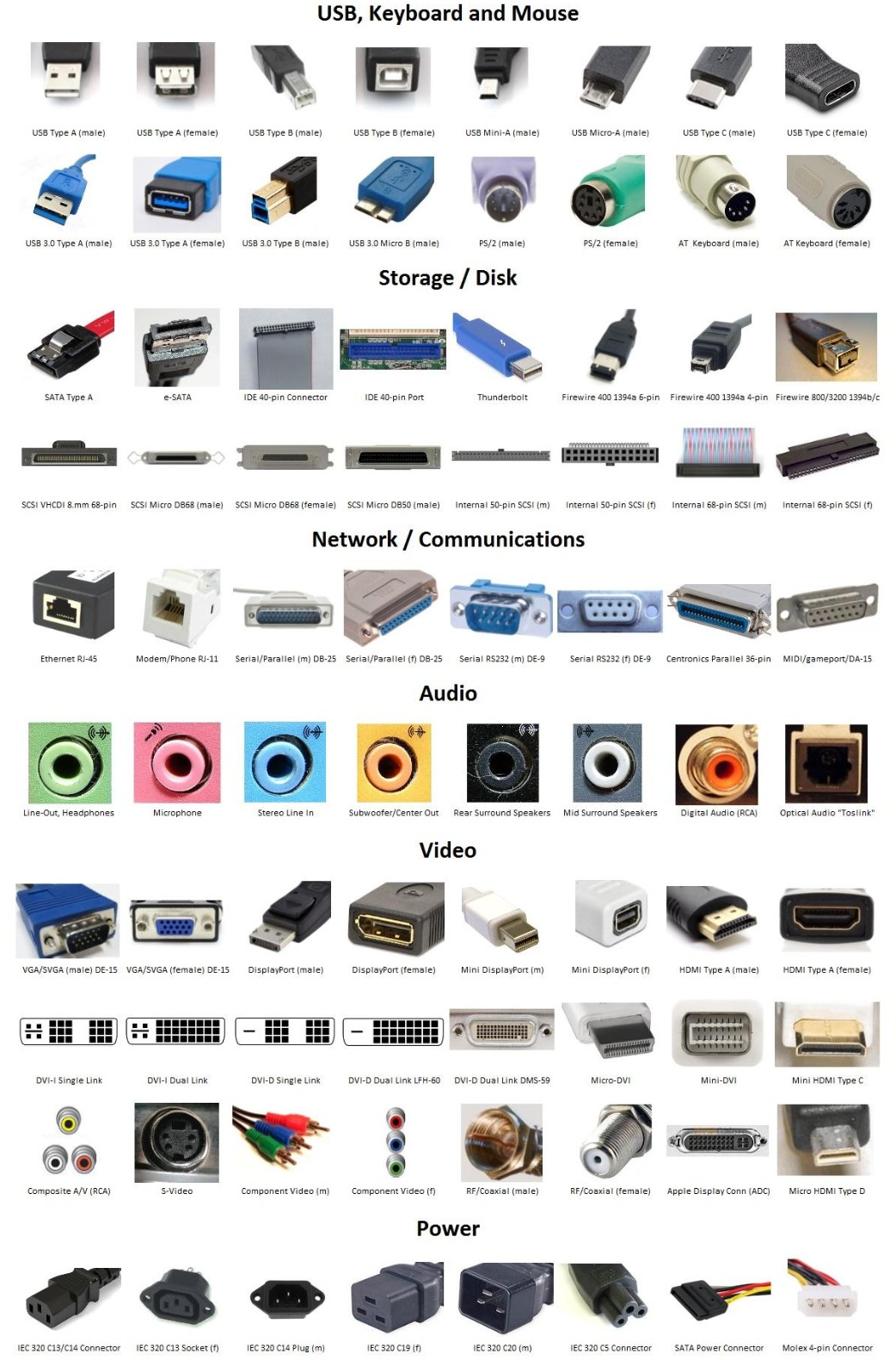
Interfaces that connect computer with devices or other computers. Positioned at front or back of computer.
| Port | Purpose | Details |
|---|---|---|
| PS/2 Port | Keyboard & Mouse | Purple for keyboard, Green for mouse (mostly replaced by USB) |
| Parallel Port | Printer | 25 holes (mostly replaced by USB) |
| HDMI Port | Monitor, Projector, Digital TV | High-Definition Multimedia Interface |
| RJ-45 Port | Network Connection | Connects to router/switch |
| Audio Ports | Audio Devices | Blue: Line In, Green: Line Out/Headphone, Pink: Microphone |
| USB Port | Multiple Devices | Universal Serial Bus - most versatile port |
| VGA Port | Monitor, Projector | Video Graphics Adaptor - 15 holes |
| Serial Port | Modem | Mostly replaced by USB |
📡 2.5 Data Communication

Basic Components:
- Sender/Source: Person or object that sends data
- Medium: Used to transmit data (wires/wireless)
- Receiver/Destination: Person or object that receives data
Data Transmission Modes
1. Simplex Mode
One direction only (sender → receiver)
Examples: Printing, watching TV, listening to radio
2. Half-Duplex Mode
One direction at a time. After sender transmits, receiver can transmit back.
Examples: Browsing internet, walkie-talkie
3. Full-Duplex Mode
Both directions simultaneously
Example: Telephone conversation
Data Transmission Media
A. Guided/Wired Media
Physical medium used for data transmission
| Type | Description | Uses |
|---|---|---|
| UTP (Unshielded Twisted Pair) | Twisted copper wire pairs. Flexible, low-priced. Maximum 100 meters | Telephone connections |
| STP (Shielded Twisted Pair) | Better quality, more secure. Expensive | Secure data transmission |
| Coaxial Cable | Electronic cable pair with braided copper net. Plastic shield separator | TV antenna, CCTV |
| Fiber Optics | Glass tube core with cladding. Data transmitted by reflecting light. Fastest medium | Modern telephone networks |
B. Unguided/Wireless Media
Data transmitted as signals through air without physical medium

1. Radio Waves
Data transmission using radio waves
Examples: WiFi, Bluetooth
2. Microwaves
Travel in linear mode. Transmission centers face each other
Uses: Satellite communication, internet communication
Satellites positioned above 36,000 km capture and transmit data through satellite towers
3. Infrared
Examples: TV remote controllers, wireless keyboards and mouse
🌐 2.5.4 Computer Network Devices

1. NIC (Network Interface Card)
Has RJ45 port. Built into motherboard in modern computers
2. Switch/Hub
Mediator to connect two or more computers using wired media
Difference: Hub sends data to all computers (half-duplex), Switch sends to relevant computer only (full-duplex)
3. WiFi (Wireless Fidelity)
Uses WiFi access points. Allows easy networking using radio waves for computers and mobile devices
4. Router
Connects two or more computer networks. Also called Gateway. Finds most suitable path for data transmission
5. Modem
MOdulation-DEModulation. Connects computer to internet via telephone lines. Converts digital signals to analog and vice versa
Types: Internal, External, Wireless
6. Firewall
Network security system. Controls data transmission between internet and network. Acts as secured barrier
Available as: Software and Hardware
🔗 2.5.6 Types of Computer Networks

1. LAN (Local Area Network)
Connects computers inside a room or building
Examples: School networks, university networks, small businesses
2. MAN (Metropolitan Area Network)
Combination of several LANs covering less than 16 miles
Examples: Banking networks, institutions with branches
3. WAN (Wide Area Network)
Covers wide area - within or outside country
Best Example: The Internet
Client/Server Network
Server: Provides data and information
Server has network operating system installed
🕸️ 2.5.7 Network Topology
Network topology is the pattern of connection in designing computer networks.
1. Star Topology
Most commonly used design. Built by centralizing a switch/hub with computers connected to it
✓ Advantages: Easy to add computers, failure of one computer doesn't affect others
✗ Disadvantages: If hub fails, entire network fails
2. Bus Topology
All connections through a main cable (backbone)
✓ Advantages: Easy networking, fewer cables required
✗ Disadvantages: Limited computers, backbone failure affects all
3. Ring Topology
Computers positioned in ring/circle and connected. Data moves in circular manner
✗ Disadvantages: Breakdown of one computer/cable affects entire network
4. Tree Topology
Combination of bus and star topologies. Several star topologies connected to bus backbone
✓ Advantages: Can control each network individually
5. Mesh Topology
All computers connected with each other
✓ Advantages: Breakdown of one computer doesn't affect network
✗ Disadvantages: Complex, costly, difficult to control
Example: Internet
⚖️ 2.5.8 & 2.5.9 Benefits and Disadvantages of Networking
Benefits of Networking ✓
Data Sharing
Share data and information between computers easily
Less Storage Space
Saves space - same data not stored in multiple computers
Resource Sharing
Share devices like printers, scanners, modems among users
Central Software Control
Software installed on server, shared by many users
Access Anywhere, Anytime
Connect via internet to access documents 24/7 from anywhere
Security
Only authorized clients can access server
Convenient method of sharing information
Disadvantages of Networking ✗
Security Issues
Difficult to secure data from hackers who try to gain unauthorized access
Network Breakdown
In some topologies, failure of computer/cable affects other computers
Virus Spread
Virus in one computer can spread to others
Computer Breakdowns
Server defects/breakdown affects all clients
Training Requirements
Need for specialized network administrator
📝 Practice Questions & Answers
Q1: Define a computer and list its main features.
Main Features: Speed, Accuracy, Efficiency, Versatility, Storing and Retrieving capability
Q2: Differentiate between Super Computers and Micro Computers.
Super Computers: Highest computing power, large size, expensive, rare. Used for scientific/engineering functions (NASA, military).
Micro Computers: Small size, personal use, small memory, less expensive, consumes little electricity (laptops, smartphones).
Q3: What is the difference between RAM and ROM?
RAM: Volatile memory (data lost when power off), temporarily stores data, read-write facility
ROM: Non-volatile memory (data retained when power off), stores BIOS, read-only
Q4: Name three input devices and explain their functions.
1. Keyboard: Most common input device with 101-108 keys for typing and functions
2. Mouse: Pointing device with left/right buttons and scroll wheel
3. Scanner: Captures images/documents and converts to digital data (like flatbed scanner, barcode reader)
Q5: What are the three main components of CPU?
1. ALU (Arithmetic and Logical Unit): Performs all mathematical and logical functions
2. Control Unit (CU): Controls all devices of computer system
3. Memory Registers: Temporarily stores data needed for ALU and information produced by ALU
Q6: Differentiate between Impact and Non-Impact Printers.
Impact Printers: Head strikes against ink ribbon, noisy, low running cost. Examples: Dot Matrix, Line Printer
Non-Impact Printers: No striking mechanism, quiet operation, better quality, expensive. Examples: Laser, Inkjet, Thermal
Q7: Explain the three data transmission modes with examples.
1. Simplex Mode: One direction only. Examples: Printing, watching TV
2. Half-Duplex Mode: One direction at a time. Examples: Browsing internet, walkie-talkie
3. Full-Duplex Mode: Both directions simultaneously. Example: Telephone conversation
Q8: What is the difference between LAN, MAN, and WAN?
LAN: Connects computers in a room/building (schools, small businesses)
MAN: Combination of LANs covering less than 16 miles (banking networks, institutions with branches)
WAN: Covers wide area within/outside country (Internet is best example)
Q9: Explain the difference between Hub and Switch.
Hub: Sends transmitted data to all computers (creates network congestion), uses half-duplex mode
Switch: Sends data only to relevant computer (faster), uses full-duplex mode
Q10: List five benefits of computer networking.
1. Data and information sharing between computers
2. Less storage space required
3. Ability to share resources (printer, scanner, modem)
4. Central software control
5. Access anywhere, anytime (24/7)
Q11: What is Cache Memory and how does it work?
Q12: Compare Fiber Optics cable with Coaxial cable.
Fiber Optics: Uses glass tube core, transmits data by reflecting light, fastest transmission medium, expensive, used in modern telephone networks
Coaxial Cable: Uses electronic cable pair with braided copper net, used for TV antenna and CCTV, relatively less expensive
Q13: What is the function of a Modem?
Q14: Describe Star Topology with its advantages and disadvantages.
Advantages: Easy to add computers, failure of one computer doesn't affect others
Disadvantages: If hub/switch fails, entire network fails
Q15: List three disadvantages of computer networking.
1. Security Issues: Difficult to secure data from hackers
2. Virus Spread: Virus in one computer can spread to entire network
3. Training Requirements: Need for specialized network administrator
Q16: What is the difference between Analog and Digital computers?
Analog Computers: Use analog signals such as environmental parameters (speed, pressure, temperature). Examples: Speedometers, meteorological machines
Digital Computers: Use digital signals. These are computers we use in day-to-day life (laptops, desktops)
Q17: Name four types of computer ports and their uses.
1. USB Port: Universal Serial Bus - connects multiple types of devices
2. HDMI Port: Connects monitor, projector, digital TV, speakers
3. RJ-45 Port: Connects computer to network router/switch
4. VGA Port: Video Graphics Adaptor - connects monitor/projector (15 holes)
Q18: What is a Firewall and why is it important?
Q19: Compare Hard Disk Drive with USB Flash Drive.
Hard Disk Drive (HDD): Magnetic media device, larger capacity (250GB-4TB), has moving parts (platters, spindle, head), usually internal storage
USB Flash Drive: Solid state device, smaller capacity, no moving parts, portable, faster data transfer, easy to carry
Q20: What are the basic components required for data communication?
1. Sender/Source: Person or object that sends data
2. Medium: Medium used to transmit data (telephone wires/wireless)
3. Receiver/Destination: Person or object that receives data
📌 Key Points to Remember
- Computer = Electronic device that accepts data, processes, and produces output
- 5 Features: Speed, Accuracy, Efficiency, Versatility, Storing & Retrieving
- Classification: By Size (Super, Mainframe, Mini, Micro) and Technology (Analog, Digital, Hybrid)
- CPU = Brain of computer (ALU + Control Unit + Registers)
- RAM = Volatile, ROM = Non-volatile, Cache = Fastest
- Secondary Storage: Magnetic (HDD), Optical (CD/DVD/Blu-ray), Solid State (USB/Memory Card)
- Data Transmission: Simplex, Half-Duplex, Full-Duplex
- Networks: LAN (Local), MAN (Metropolitan), WAN (Wide)
- Topologies: Star, Bus, Ring, Tree, Mesh
- Network Devices: NIC, Switch, Router, Modem, Firewall, WiFi